Retail / POS / online store

MINNO Market POS commerce operating system

One product layer supports the online store, Clover POS channel, labels/QR, in-store screens, pickup, translation, and SEO.

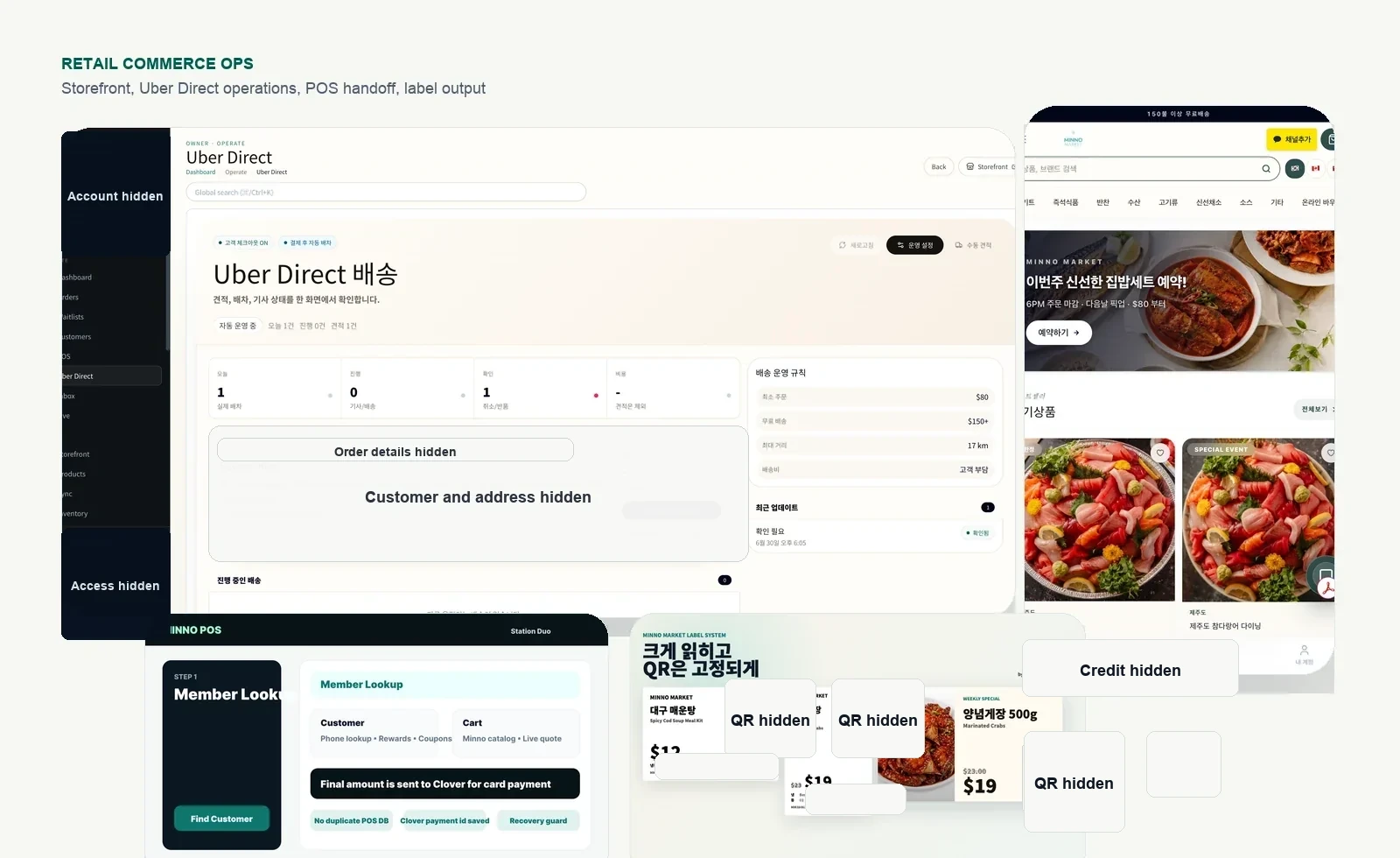
MINNO Market online store product screen
MINNO Market online store. Products, brands, orders, and pickup rules connect with the operations CMS.
Operating baseProduct data

Products, options, brands, stock, and promotion windows are organized from one source.

Store channelClover POS

Clover stays the payment and POS base while the custom backend carries online rules.

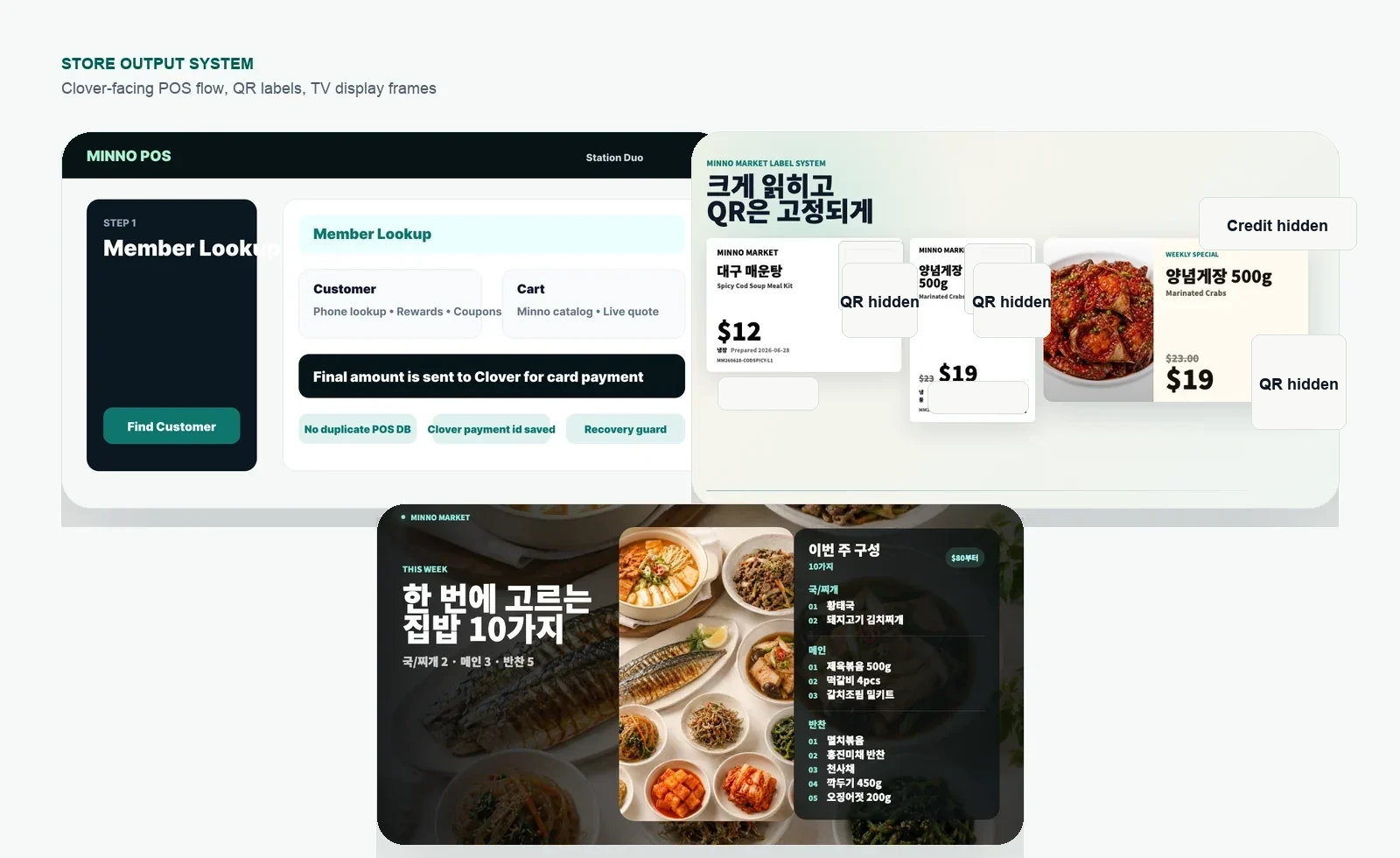
Output layerLabels/QR/screens

Product information can be reused for labels, QR, and in-store display output.

Growth layerMultilingual SEO

Product and brand content feeds language-specific pages and search fields.

Why this is different from a standard store build

MINNO Market is built around retail operations. The same product standard can support the storefront, POS channel, labels/QR, pickup, promotions, and SEO instead of leaving each task in a separate app.

Wix / Shopify / app stack Fast to open, but rules can split.

Products, POS, labels, display screens, translation, and SEO can drift when each one is managed in a different tool.

BYTHECLOUD approach Product rules are mapped before the screens.

The online store, Clover POS channel, labels/QR, in-store screens, pickup, and multilingual SEO follow the same product layer.

Built operating scope

Online store

Products, brands, categories, cart behavior, and pickup flow are shaped around store rules.

Product CMS

Name, options, price, images, brand, visibility, and SEO fields stay editable.

Clover channel

Clover handles payment and POS foundations while product and order logic align with the custom backend.

Promotions

Discount windows, coupons, purchase rules, and brand rules stay visible to the operator.

Labels and QR

Product data is prepared for price labels, QR, and barcode printing flows.

In-store displays

Products, campaigns, and screen messages can be managed separately from the storefront layout.

Email automation

Order, pickup, inquiry, and campaign messages connect with operating status.

Multilingual SEO

English, Korean, and Chinese product exposure use consistent title, description, and URL standards.

Operating flow

01Set product rules

Name, options, price, brand, stock, and visibility are defined first.

02Connect store and POS

The online store and Clover POS channel read from the same operating standard.

03Reuse for store output

Labels, QR, display screens, and pickup messages reuse the same data.

04Feed search and campaigns

Product copy, language pages, promotions, and email flows connect to the same source.

Operating standard

The point is not to add more features. The point is to reduce repeated work. A product entered once should be usable across the storefront, POS channel, labels/QR, display screens, pickup, and SEO.

Clover provides the POS and payment foundation. The custom backend carries store-specific product rules and online operations.

Related build scope

604.376.2359Contact